
It’s difficult to see anyone hurt, especially a valued and trusted employee. They’re an important part of your organization, and you’ll want to ensure they are supported.
Help for them starts with you. After they’ve informed you of the accident, injury or illness, as an employer you’ll want to discuss the next steps with them. This conversation can include modified duties and/or accommodations you can provide as they recover. Let the employee know that you and their co-workers will support them throughout their recovery.
As an employer, you have reporting responsibilities under both the Workers’ Compensation (WC) Act and the Occupational Health and Safety (OHS) Act.
Under the OHS Act, you must report certain accidents, injuries and near misses immediately. In addition, you have ongoing obligations for the safety and health of all employees. Learn more about your reporting responsibilities under the OHS Act.
Under the WC Act, you must file if the employee becomes injured or ill from the incident, requiring time away from work or medical treatment beyond first aid. You must file the Employer Report of Injury or Illness, whether you support the employee’s claim for benefits or not. You have an opportunity to state any objections in the report.
For occupational hearing loss claims, please complete the Employer Report of Occupational Hearing Loss form rather than the Employer Report of Injury or Illness.
When a workplace injury occurs, both employers and workers play a critical role in initiating the claim process. Employers must submit the Employer's Report of Injury or Illness, while workers submit the Application for Compensation Benefits when compensation benefits are required. When both documents are submitted together by using the E67, information is received earlier, and with greater accuracy allowing for faster decisions and quicker access to benefits.
Employers can submit a claim online using one of three ways:
Login or register for MyServices.
Click here to complete the Employer Report of Injury and Illness (E67)
Please email us to register before submitting a claim.
Please support your employee by ensuring they are aware of the application and provide any information to support their application (pay information, etc.)

If you’re experiencing technical issues, you can complete the PDF version of the form or contact WorkSafeNB at 1 800 999-9775 for assistance.
Please note the PDF is the Employer Report of Injury and Illness only. It includes the information required from the employer. If the worker is applying for compensation benefits, they will also need to submit the Application for Compensation Benefits separately.
Returning to work is a shared responsibility between you and your employee. Both of you must work together to support a safe and timely return.
As an employer, you are expected to:
Your employee is expected to:
Together, you should:
For more information, visit Return to Work: A Shared Responsibility or contact WorkSafeNB.
When a workplace injury occurs, both employers and workers play a critical role in initiating the claim process. Employers must submit the Employer's Report of Injury or Illness, while workers submit the Application for Compensation Benefits when compensation benefits are required.
When both documents are submitted together by using the E67, information is received earlier more consistently, and with greater accuracy—supporting faster decisions and quicker access to benefits.
Learn more: WorkSafeNB | Electronic Form 67
If you currently submit WorkSafeNB's Report of Accident or Occupational Disease, the joint worker and employer form, through Service New Brunswick or MyServices, there are currently no changes to the process. Continue to use those application methods and the joint form.
If your employee submits an Application for Workers’ Compensation Benefits and you have not submitted an Employer Report of Injury or Illness, you will be notified by WorkSafeNB of your employee’s application and will have three days to submit your report.
For more information, visit Return to Work: A Shared Responsibility or please contact WorkSafeNB.
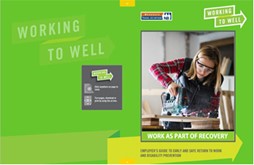
Work is good. It provides social connection and a sense of purpose, leading to positive physical and mental health and wellness. Evidence shows work also leads to a speedier recovery. To support employees in their recovery, employers, health care providers and others must make every effort to keep workers connected to the workplace.
Learn more:
If you have any further questions on reporting, the claims process and healthy and safe return to work, contact us toll-free at 1 800 999-9775 (Monday to Friday, 8 a.m. to 4:30 p.m.).